Updated: 09/08/2016. WeChat recently added a functionality in the app to remove your account.
We’ll show you in this guide step by step what you will need to do to delete your account:
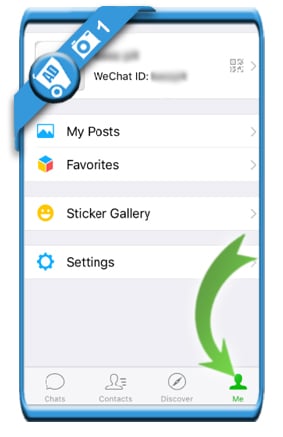
1 Open the WeChat app and select ‘Me’ in the menu
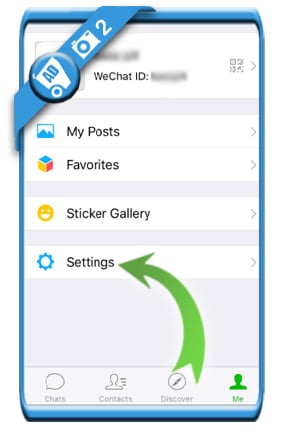
2 Tap on ‘Settings’
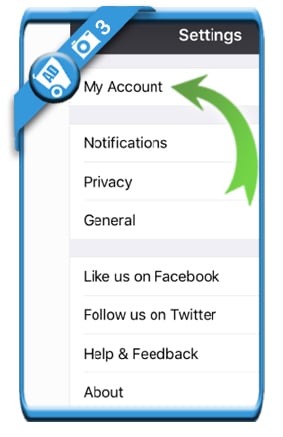
3 Choose ‘My account’
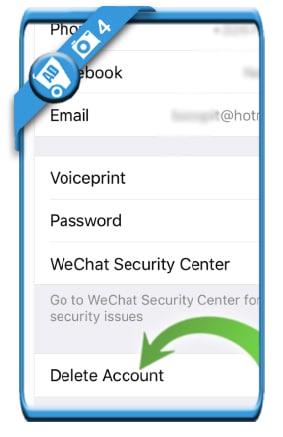
4 Scroll down to the bottom, where you will see: ‘Delete account’
that you want to reset your account and delete your whole conversation history with it.
5 Mark that you have read the terms and choose ‘Next’

6 Enter your WeChat ID, password and the captcha
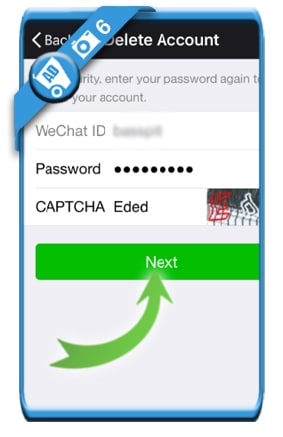
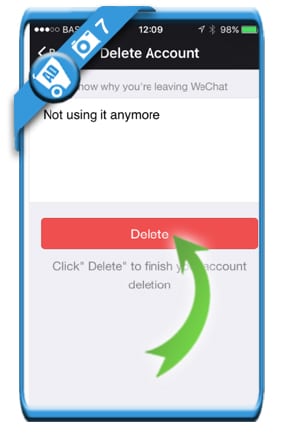
7 Leave a reason for removal and tap on the ‘Remove’ button
✅ Result
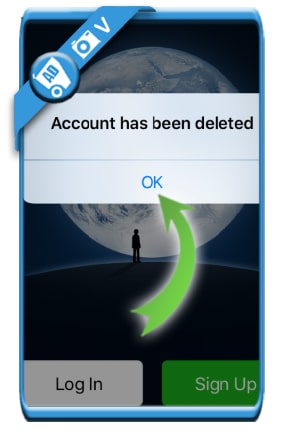
You’ll see a message appear: Account has been deleted.
As your account has been closed, you’re now free to remove the app from your device if you want to.
Source (& thanks to): WeChat app for iOs iphone
Great blog! Do you have any recommendations for aspiring writers?
I’m hoping to start my own blog soon but I’m a little lost on everything.
Would you advise starting with a free platform like WordPress
or go for a paid option? There are so many choices out there that I’m totally
overwhelmed .. Any tips? Thank you!
i forgot to clear my chat history before deleting my account . how can get it back ?? i just want to unlink my phone number but its already deleted????
Wondеrful site. Plenty օf helpful information hᥱre.
I am sending it to some friends ans additionally
sharing in delicious. And of course, thanks for your effoгt!
They have now added the DELETE ACCOUNT functionality within the Account Settings section of the app! You no longer have to email them.
Hi Yoyo, thanks for the update!